
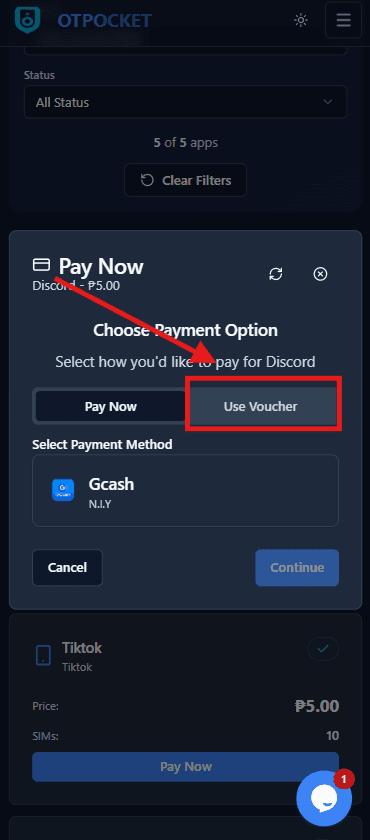
Step 1: Select Voucher as payment for the specific app
When paying for the chosen app, pick the Voucher payment option. This applies your voucher to the app purchase.
Click to preview
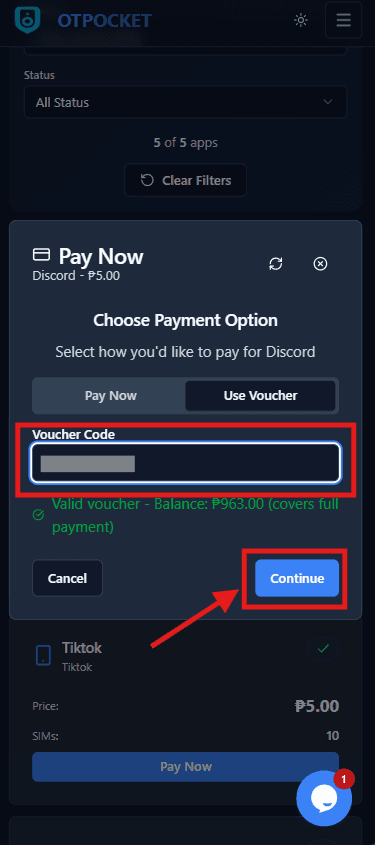
Step 2: Enter the voucher code, verify balance, then Continue
Fill the voucher code input. You should see something like: “Valid voucher - Balance: ₱958.00 (covers full payment)”. Then click Continue to proceed.
Click to preview