
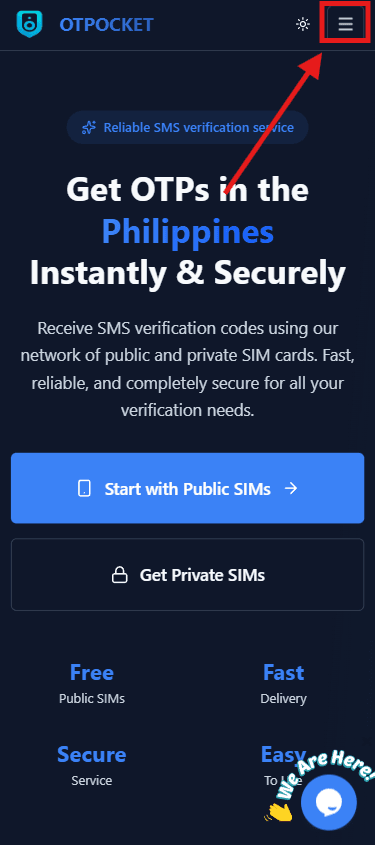
Step 1: Open the menu
Click the main menu in the navigation to reveal app sections and shortcuts.
Click to preview
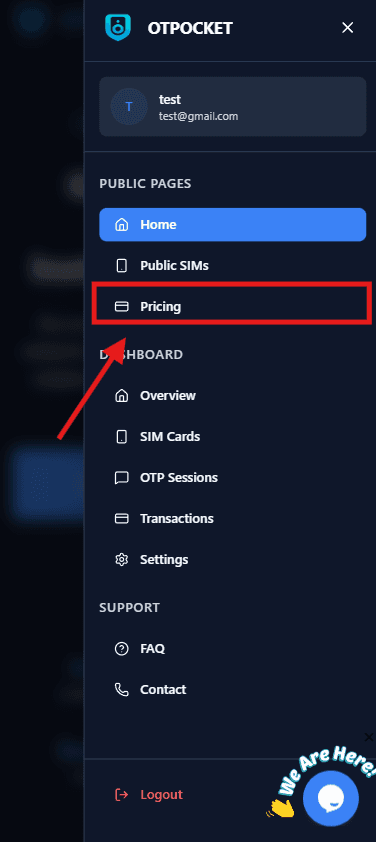
Step 2: Go to Pricing tab
Open the Pricing section to view available OTP apps and current rates.
Click to preview
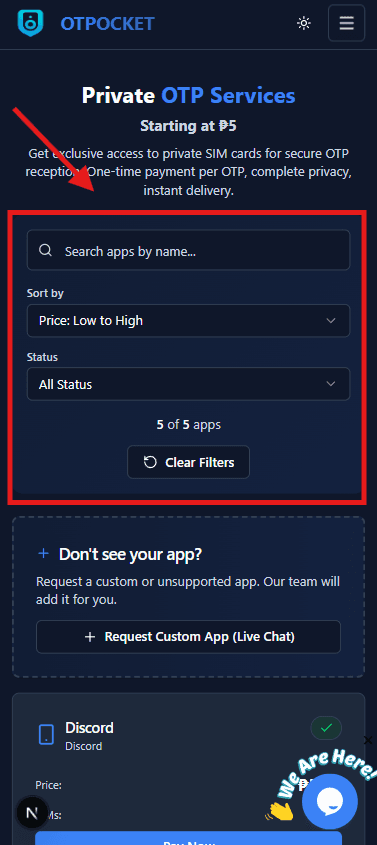
Step 3: Use filters to search for an app
Use the filter/search controls to quickly locate the app you want to verify.
Click to preview
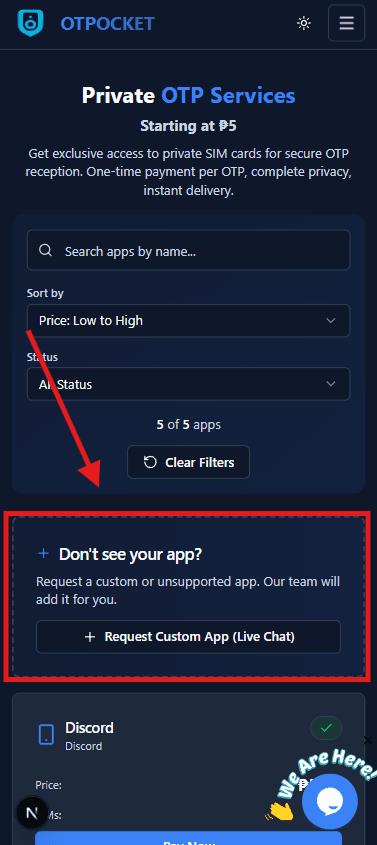
Step 4: Select Custom App if not listed
If you can’t find your app in the list, choose the Custom App option to proceed.
Click to preview
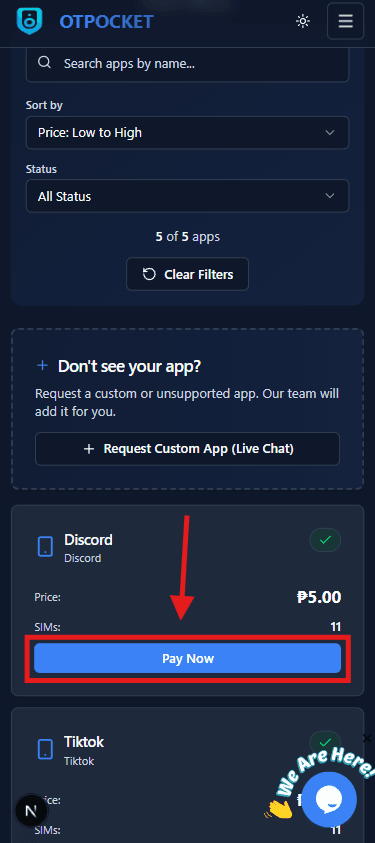
Step 5: Click Pay Now on the chosen app
On your selected app card, press Pay Now to start the checkout process.
Click to preview
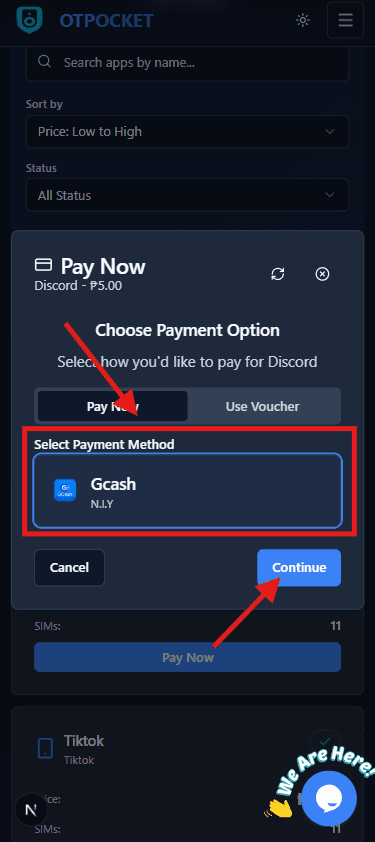
Step 6: Select payment method and confirm
Choose your preferred payment method (e.g., GCash) and confirm the payment details.
Click to preview
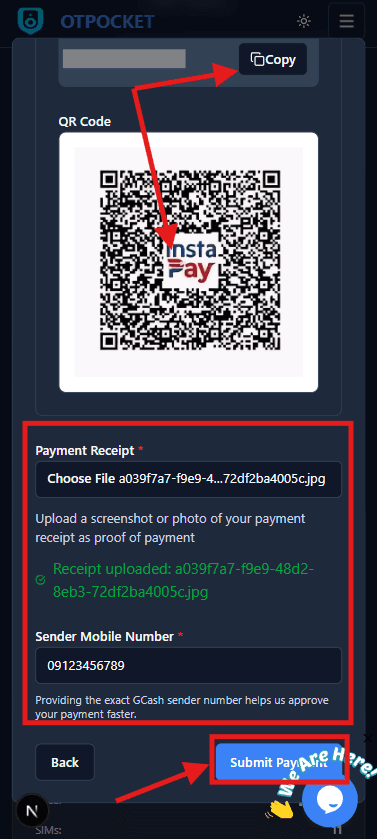
Step 7: Copy account number / scan QR, upload receipt, add sender no., submit
Copy the account number or scan the QR to pay, then upload your receipt, enter the sender number, and click Submit Payment.
Click to preview
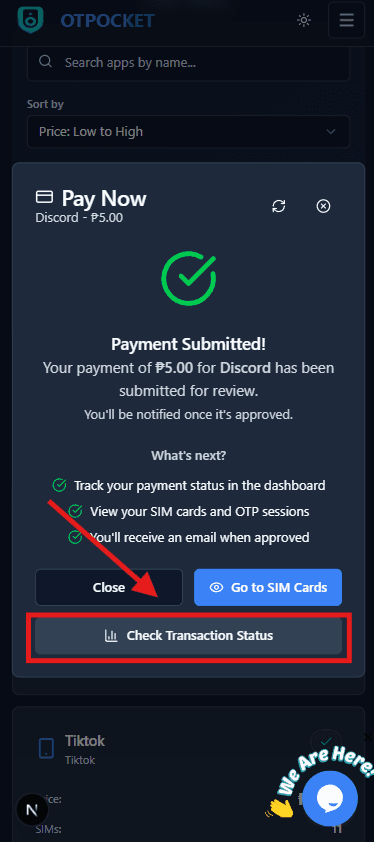
Step 8: Success and Transaction Log
After a successful payment, go to the Transaction Log to track your payment status and details.
Click to preview